


Artrooms - Art on Walls Insitu
3.8110.00 Reviews
App Specs
- Version
- 42.0
- Updated On
- License
- Free
- Downloads
- 100,000+
- Developer
- Artrooms LLC
- Categories
- Art & Design
- Platform
- Android
Screenshots
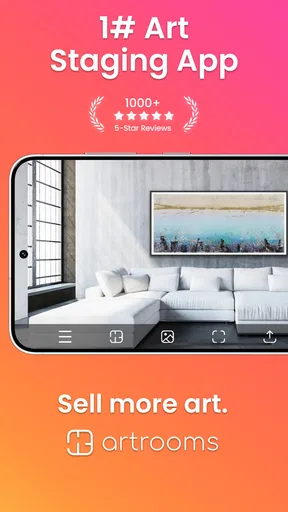
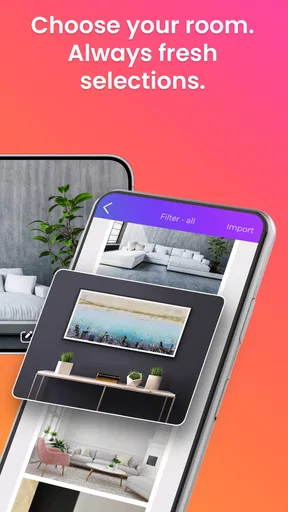
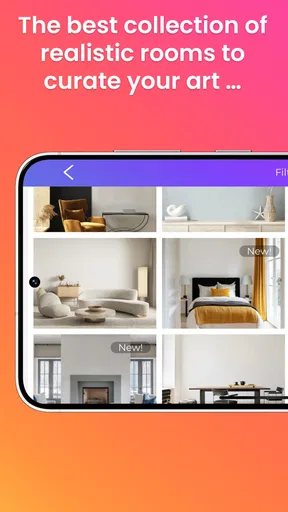

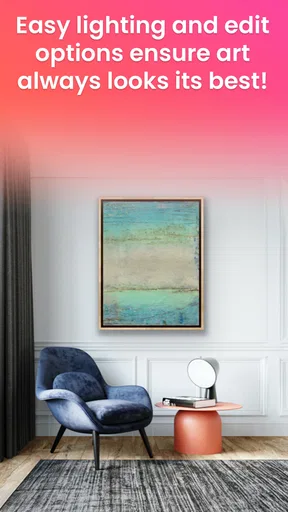
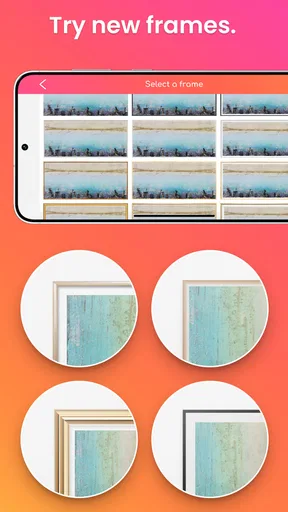
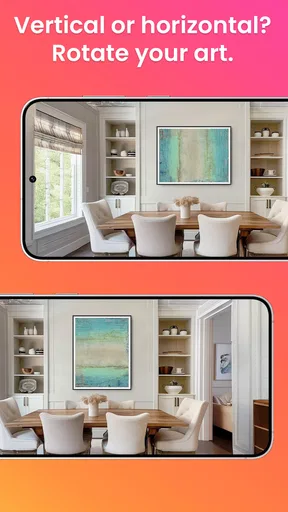
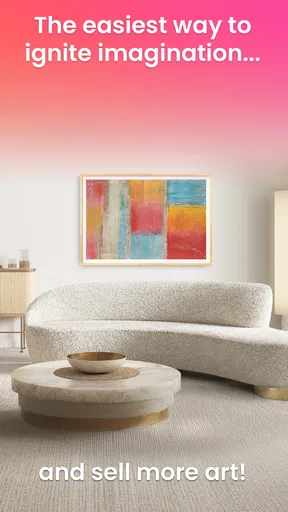
 Analysis by AppCompare
When I’m considering art for a room, the hardest part is often picturing the finished result. A print that looks right on a screen can feel too small, too bold, or out of place once it is on the wall. That is the problem Artrooms - Art on Walls Insitu is designed to help with: it lets me preview artwork in a room setting before I commit to a choice. Its focus is practical rather than complicated, which makes it most interesting to people who want to compare possibilities without turning the process into a full design project.
A mockup tool, not a substitute for seeing art in person
The basic idea is easy to understand: use a room image as the backdrop, then consider how art might look there. That can be useful at the early decision stage, when I am choosing between a few styles or trying to work out whether a wall needs one larger piece or a different visual direction. A preview helps narrow the options, but I would treat it as a planning aid, not proof that the artwork will look identical in real life. Screen colour, image quality, room lighting, and the actual finish of a print can all change the impression.
This distinction matters when the art is expensive or the room has difficult lighting. A mockup can help me judge scale and placement more confidently, but it cannot replace checking the artwork’s physical dimensions or viewing a sample under the room’s usual light. My practical advice is to use the image to eliminate choices that clearly do not suit the wall, then confirm measurements and materials separately before buying.
Why trust depends on the choices you can inspect
For a room-visualization app, trust is not only about whether the preview looks convincing. The process can involve a personal photo of a home, so I would pause before choosing an image and consider what it reveals: family photographs, documents, valuables, or views through windows may appear in the frame. A tightly cropped picture of the wall is often enough for judging art placement and avoids sharing more of the room than the task requires.
I also look for clear, understandable choices whenever an app asks to use a device feature or handle an image. I would grant only the access needed for the action I am taking, and I would check the device’s current permission settings if I later want to change that decision. I cannot treat a polished preview as evidence about broader data practices; those should be judged from the app’s own visible explanations and controls rather than guessed from its purpose.
Who may get the most from trying it
The strongest fit is someone who already has a room and wall in mind, but is uncertain about the artwork. That could be a renter deciding whether a print will work above a desk, a homeowner comparing a calm landscape with a more graphic piece, or an artist preparing a visual example to discuss with a prospective buyer. In each case, the useful question is specific: does this kind of image feel balanced in this particular spot?
It is less suited to someone who wants a complete interior-planning system, detailed wall measurements, or a guarantee that a digital image will match a finished print. If I were redesigning a whole room, I would use a broader planning tool for furniture, colours, and layout, then use a focused art mockup only when I was ready to assess the wall. That keeps expectations realistic and avoids asking one narrow tool to do a different job.
Worth Reading Before You Choose

EA SPORTS FC Mobile 26 Is a Bigger Football Game, but It Takes Time

Flipboard Shows What News Apps Must Do Beyond the Feed

Switching to Android Auto Means Rethinking Your Driving Routine

Google Calendar Makes a Crowded Week Easier to Manage

Ludo King Makes the Most of the Minutes Between Plans

Baby Panda World Brings Quick Play to Modern Phones, but Its Game Library Feels Busy
First Impressions
Upon opening Artrooms, I was immediately struck by its sleek and user-friendly interface. The app feels intuitive, which means you won’t spend hours trying to figure out how to navigate it. It’s all about getting down to business—or in this case, art! The app’s clean design makes it easy on the eyes, allowing you to focus on the art rather than the app itself.
Features That Stand Out
One of the coolest features is the ability to upload a photo of your room and superimpose artwork onto it. This isn’t just a rough estimate; it’s pretty darn accurate. The app allows you to adjust the size of the art, ensuring that it fits perfectly. Seeing a piece of art in your actual living space really helps in making a decision.
I also love the variety of art available. Whether you’re looking for something classic or a bit more modern, Artrooms has got you covered. The app’s extensive library means you can spend hours exploring different styles and artists without getting bored.
How It Works
Using the app is straightforward. You start by snapping a picture of your wall. Next, you browse the art library and select pieces that catch your eye. The app’s technology allows the art to fit onto your wall in a realistic manner, considering aspects like lighting and wall texture. It’s almost like having a mini art gallery in your pocket!
Another handy feature is the ability to save your favorite combinations. This means you can come back to them later or share them with friends for a second opinion. It’s a great way to get feedback if you’re indecisive like me.
A useful comparison workflow
To get more out of a saved mockup, I would compare a small, deliberate set of options rather than scrolling through art without a plan. I might save one piece that matches the room, one with a contrasting colour, and one at a different apparent scale. Looking at those versions against the same wall makes the differences easier to judge and gives a friend a clearer choice to react to than a long, unfiltered collection.
Before taking the room photo, I would stand in the spot from which the artwork is usually seen and keep the camera as square to the wall as possible. An angled photo can make a rectangle look distorted and complicate a size comparison. Clearing visual clutter from the frame also helps me focus on the wall itself. These are simple steps, but they make the preview more useful without requiring any specialist design knowledge.
Who’s It For?
Honestly, Artrooms - Art on Walls Insitu is perfect for anyone who loves art and is looking to spruce up their space. Whether you’re an art enthusiast or just someone looking to make your home a bit more stylish, this app offers something for everyone. It's especially useful for interior designers who want to provide clients with a clear visual of their ideas.
Where it fits in an art-buying decision
Compared with browsing a retailer’s product images, a room mockup can answer a more personal question: how does this artwork sit beside my furniture, wall colour, and existing decor? Retailer images may show the piece clearly, but they usually cannot reproduce my particular room. On the other hand, a general-purpose interior design app may offer a wider view of a space, yet take longer to configure when all I want is to test art on one wall. This focused approach is most appealing when the artwork—not the entire room—is the decision I am trying to make.
Artists can also use a mockup as a conversation starter, especially when a client struggles to imagine a work outside a studio or gallery. I would present it as an illustration rather than a promise about exact colour, scale, or finish. That small bit of context can prevent a helpful preview from creating expectations it cannot meet.
Why You’ll Love It
Let’s be real, buying art can be a big investment. Being able to see how a piece will look in your home before purchasing is a game-changer. It takes away the guesswork and helps you make confident decisions. Plus, it’s just plain fun to play around with different looks and styles.
The app also saves you from the hassle of returning art that doesn't quite fit. With Artrooms, you know exactly what to expect, and that kind of certainty is priceless.
Cost, compatibility, and a sensible trial
The app is free to install, while in-app purchases range from $6.99 to $59.99 per item. I would begin with the free experience and decide whether the available tools and art selection suit my needs before paying for anything. Since purchases can vary in cost, it is worth checking what an individual item includes in the app rather than assuming every option has the same terms. The listing gives the app an Everyone age rating, so it is presented for a broad audience.
Artrooms is an Art & Design app from Artrooms LLC. It was released on September 10, 2019, and its current version is 42.0, with Android 8.0 as the minimum operating system requirement. It has a 3.8 average from 961 ratings, with 110 written reviews, and has passed 100K installs. Those figures give a useful sense of its audience, but I would still judge whether it suits me by trying my own wall and checking how comfortable I feel with the image-handling choices.
Small checks that prevent a misleading preview
A realistic everyday use might be choosing a print for the wall behind a dining table. I would take a clear photo in daylight, try a few contrasting pieces, and save the two that look promising. Then I would measure the wall and the intended frame in real units, because an on-screen adjustment is not a substitute for confirming the product’s dimensions. If I am deciding with someone else, I would share the saved alternatives and ask which one feels balanced from the normal viewing distance, not simply which image looks nicest on a phone.
There are trade-offs in that process. A photo taken in bright daylight may make muted art look different from how it appears in the evening, while a wide camera view can exaggerate the amount of empty wall. I would take the preview as one viewpoint, and, if the decision matters, make a second room image under the lighting I use most often. The aim is not to chase perfect simulation; it is to catch obvious mismatches before spending money.
Wrapping It Up
In a world where technology is reshaping how we interact with our surroundings, Artrooms - Art on Walls Insitu stands out as a fantastic tool for art lovers and homeowners alike. Its ability to seamlessly blend technology with creativity makes it a must-have app for anyone considering adding art to their space.
So, if you're ready to transform your walls without lifting a hammer, give Artrooms a try. You'll be amazed at how a simple app can open up a world of possibilities for your home.
My cautious verdict
I would recommend giving it a try if your main question is whether a particular artwork feels right on a particular wall. The room-photo approach and saved combinations make that decision more concrete, and the free starting point keeps it approachable. I would skip it if I needed precise professional measurements, a full-room design plan, or an exact preview of print materials and colour. In those cases, direct samples, measuring tools, or broader design software are better companions.
My main practical caution is to keep control of what you share and to check the purchase details before committing to an in-app item. Used with a carefully framed room photo and realistic expectations, Artrooms can make choosing wall art less abstract. I see it as a useful second opinion for my own space—not a replacement for measuring, checking the physical artwork, or making the final decision with my eyes open.
Pros
- User-friendly interface for seamless navigation.
- High-quality image rendering for realistic previews.
- Wide variety of art styles and frames available.
- Customizable settings for personalized experience.
- Regular updates with new features and artworks.
Cons
- Limited free options
- many features are premium.
- Occasional app crashes on older devices.
- Requires stable internet for optimal performance.
- No option to upload personal artworks for preview.
- Some users find the ads intrusive.
FAQs for Artrooms - Art on Walls Insitu
What is Artrooms - Art on Walls Insitu and how does it work?
Artrooms is an innovative app designed for artists, galleries, and art enthusiasts to visualize artwork in real-world settings before making a purchase or installation. By uploading an image of the desired space, users can superimpose artwork to see how it fits within the environment. This feature helps in making informed decisions and enhances the art buying experience.
Is Artrooms available for both Android and iOS devices?
Yes, Artrooms is available for download on both Android and iOS platforms. The app can be found on the Google Play Store for Android users and the Apple App Store for iOS users. This cross-platform availability ensures that a wide range of users can benefit from its features regardless of their device preference.
Does Artrooms require an internet connection to function?
While an internet connection is needed for downloading the app and accessing certain online features, Artrooms can function offline for basic operations like uploading images and superimposing artwork. However, for updates, accessing additional content, and sharing your creations, an internet connection is necessary.
Are there any costs associated with using Artrooms?
Artrooms offers a free version with basic features that allow users to experiment with art placements. However, there may be premium features or additional content available through in-app purchases or subscription models. These premium options provide enhanced functionality and access to a broader range of resources.
How does Artrooms ensure the accuracy of art placement and dimensions?
Artrooms utilizes advanced algorithms and scaling tools to ensure that artwork is accurately placed and proportioned in the chosen environment. Users can input dimensions manually for precise scaling, and the app provides guidelines to help align the artwork correctly. This ensures a realistic representation of how the art will appear in real life.


